

Stop Claude from Always Agreeing with You
After Claude finishes any plan, draft, or strategy, paste this as your next message.

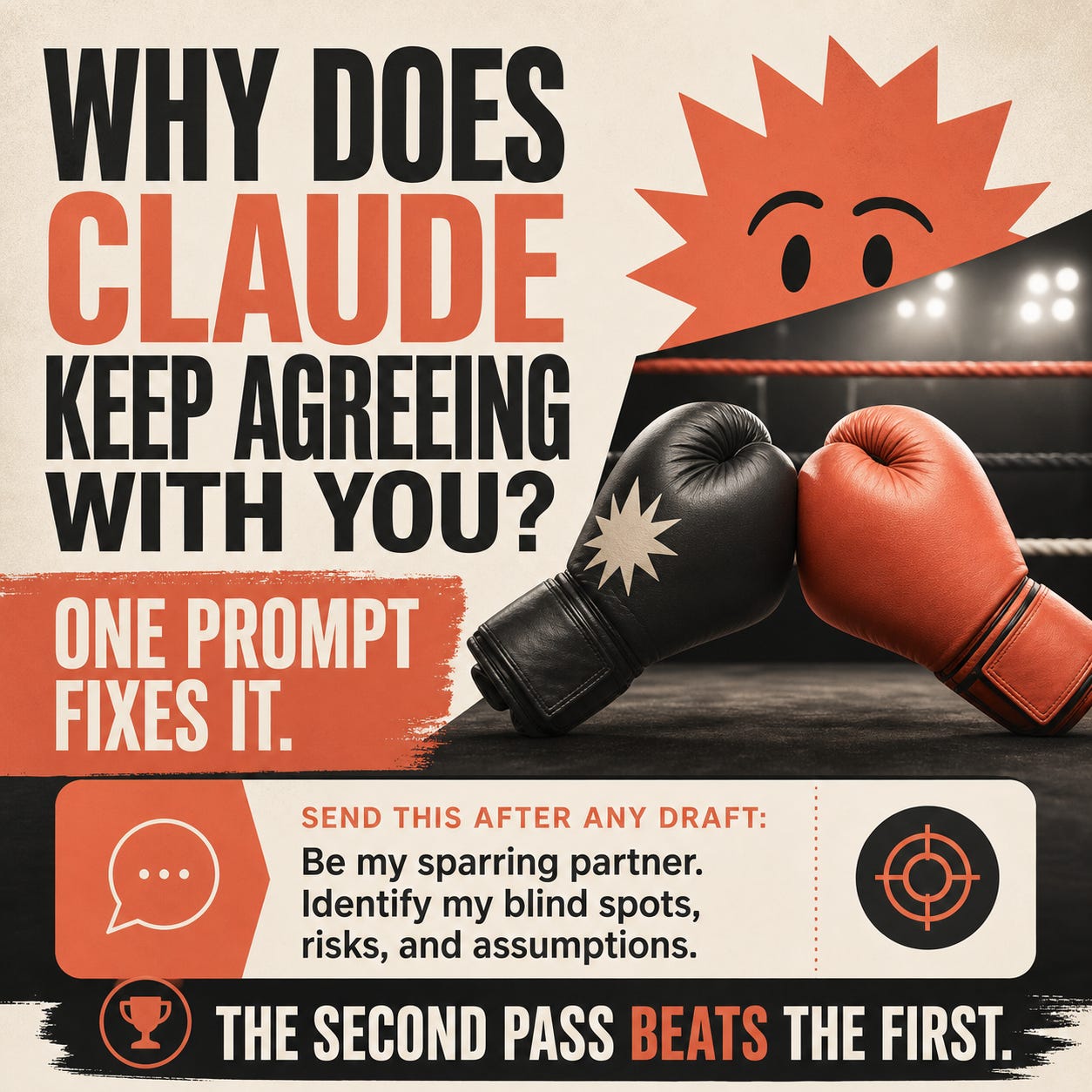
Claude’s first answer is rarely the best one. It reads clean. It sounds confident. And it’s almost always missing something important.
You probably think the fix is one of these:
A longer, more detailed prompt
A better model
More context up front
It’s none of those. Claude isn’t underperforming. It’s doing exactly what it was trained to do: agree with you, polish your idea, hand it back.
The fix is one follow-up.
The core prompt
After Claude finishes any plan, draft, or strategy, paste this as your next message. Claude switches modes. It stops endorsing your work and starts probing it.
Be my sparring partner. Identify my blind spots, risks, and assumptions.
What you get back:
The weakest assumptions you didn’t see
The risks hiding under your plan
The data you’re missing
The questions you should be asking yourself before moving forward
Your first answer from Claude is the draft. The sparring round is the edit.
Why Claude agrees with you by default
Claude is trained in part with human feedback, and people consistently rate agreeable, polished answers higher than ones that push back. The model learns to default to the version that sounds supportive. Anthropic has acknowledged this pattern in its own research on sycophancy in language models.
That’s the behavior you’re prompting your way out of. It’s not Claude being polite. It’s a tendency baked into the model that you have to actively counter.
You don’t need a different model. You need a different second prompt.
After Claude writes a strategy or business plan
Use this when Claude hands you a launch plan, growth strategy, pricing model, or any multi-step business decision. The sparring prompt forces Claude to surface execution risks and assumption gaps the original draft glossed over.
Now be my sparring partner on this strategy. What are the three biggest assumptions I’m making that could kill this? What execution risks am I underestimating?
After Claude drafts content for you
Whether it’s an essay, sales page, cold email, or social post, the first draft tends to be safe. Use this prompt to find the parts that sound generic and the claims that won’t survive a skeptical reader.
Be my sparring partner on this draft. What sounds generic? What claims are weak? Where would a skeptical reader push back?
After Claude reviews your code
Code reviews from Claude often default to “this looks good” with minor style notes. The sparring version surfaces the architectural concerns, edge cases, and security questions the surface review missed.
Be my sparring partner on this code. What edge cases am I missing? What would break this in production? Where is the architecture brittle?
Before you send something high-stakes
Pricing emails, board updates, raise requests, resignation letters. Run the sparring prompt before the send button. Claude reads the message back to you through the eyes of the recipient.
Be my sparring partner on this message. How will the recipient read this? What might they push back on? What am I not saying that I should be?
When you want Claude to stress-test your own thinking
This is the most valuable use. You’re making a decision and Claude’s first response will validate your direction. Force it to argue against you instead.
Steelman the opposite of what I’m planning to do. Build the strongest possible case for the other path. What am I refusing to see?
Chain sparring rounds for deeper pressure
One round is good. Two is better.
After Claude’s first sparring response, push again:
Sparring round two. Of those critiques, which one is the most dangerous and why? What do the consequences look like in 90 days if I ignore it?
This forces Claude to rank its own pushback. Without round two, you get a flat list of objections. With it, you get a priority order and a concrete forecast.
For the highest-stakes decisions, run a third round:
Round three. If I had to pick one assumption to test before I move forward, which one is it and how would I test it cheaply?
You now have a critique, a priority, and a test plan. All from a thread you were ready to ship from ten minutes ago.
Save it as a Skill if you use it weekly
If sparring becomes part of your weekly workflow, stop pasting the prompt. Save it once as a Skill and you can trigger it with a slash command in Cowork (in Chat, it fires automatically when your message matches the description).
The Skill description matters more than the body. Write it like this:
Use when the user asks for sparring, pushback, critique, or stress-testing on a plan, draft, or decision. Identify blind spots, risks, and weak assumptions. Ask one clarifying question if scope is unclear. Do NOT use for new content generation, research, or summaries.
Now /spar works anywhere in Cowork, and the same Skill auto-fires in Chat when you ask Claude to critique a draft. No copy-paste, no prompt library lookup, no rebuilding the prompt every time.
What to do with the answers
Three rules for the sparring response:
Read the whole thing before you react. Your first instinct will be to defend the draft. Resist it for one read-through.
Pick the two critiques that sting the most. Those are the ones worth fixing.
Ignore the rest if they don’t match your actual context. Sparring partners overshoot. That’s part of the job.
The goal isn’t to agree with every objection. It’s to put your plan through one round of pressure before reality does.
I have “No sycophantic behavior or responses” in my Claude.md file and don’t have to worry about it 95%+ of the time.