

Avoid Claude's Peak Times to Save Tokens
Schedule heavy work outside of these times.

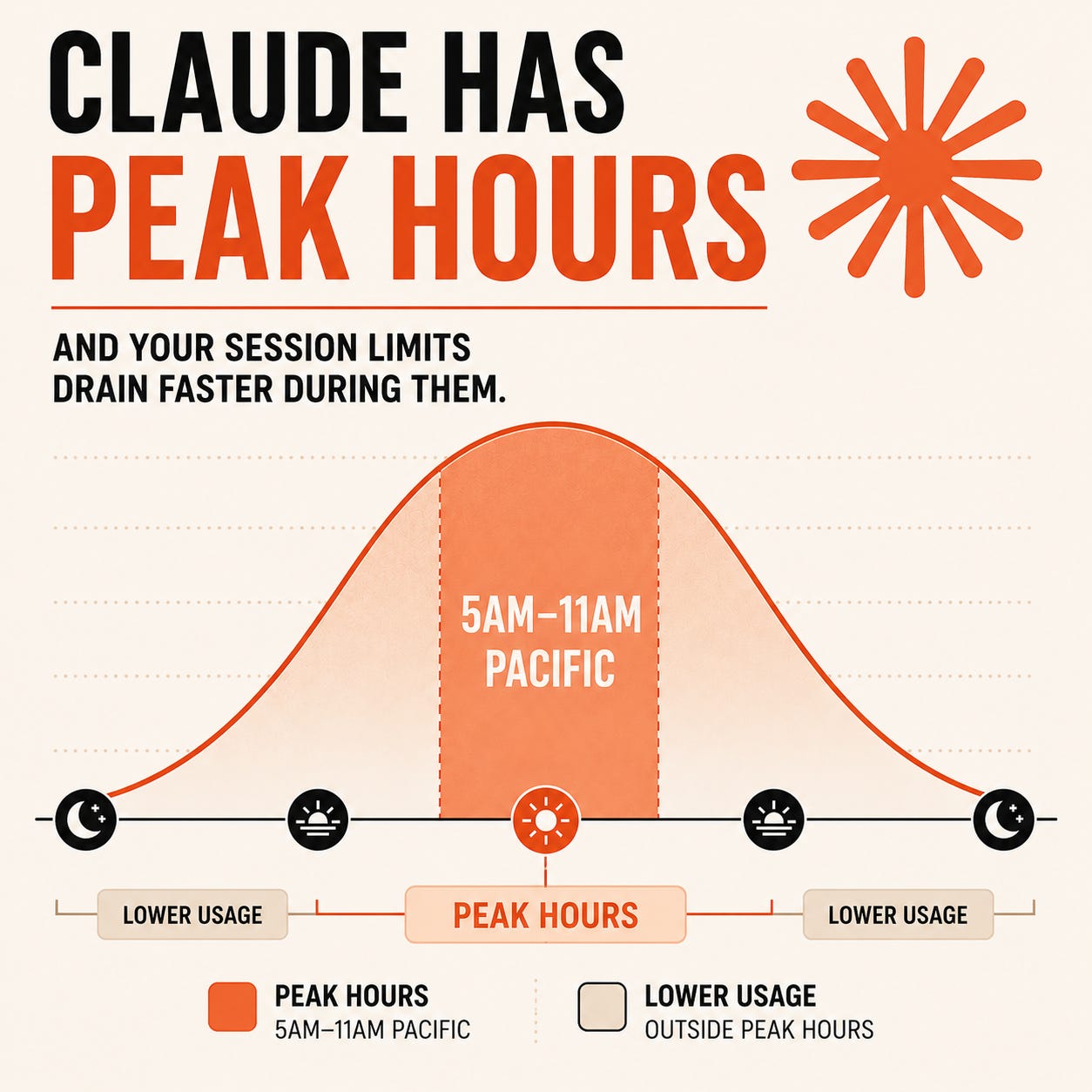
Weekdays between 5am and 11am Pacific, your 5-hour session window drains faster than the rest of the day. Same plan, same weekly cap, just a tighter session clock for those hours.
Anthropic confirmed this in late March 2026 in a post from engineer Thariq Shihipar:
“To manage growing demand for Claude we’re adjusting our 5 hour session limits for free/Pro/Max subs during peak hours. Your weekly limits remain unchanged. During weekdays between 5am–11am PT, you’ll move through your 5-hour session limits faster than before.”
The peak windows by timezone
Pacific (PT) Peak: 5am to 11am.
Mountain (MT) Peak: 6am to 12pm.
Central (CT) Peak: 7am to 1pm.
Eastern (ET) Peak: 8am to 2pm.
What you can do inside peak hours without paying for it
Peak hours don’t mean “stop using Claude.” They mean “stop using Claude for the work that doesn’t compress well.”
Things that stay cheap during peak:
Single-question lookups (definitions, syntax, quick research)
Short edits, grammar passes, tone adjustments
One-shot writing tasks under 500 words
Quick brainstorms with no attachments
Anything that closes in under five turns
Things to defer to off-peak:
Document analysis on anything over 10 pages
Long iterative drafts (blog posts, reports, decks)
Multi-document synthesis
Cowork sessions on large projects
Research-style work where you need 20+ back-and-forths
Anything with extended thinking turned on and big attachments in context
The pattern is simple. Peak hours are for fast, conversational work. Off-peak is for the deep stuff.
Push recurring heavy work into off-peak with Cowork
The cleanest fix is letting Cowork run your heaviest recurring work overnight or on weekends, so it never touches your peak-hour session in the first place.
How to set up a scheduled task in Claude Cowork
There are two paths. Pick whichever fits.
Option 1: From inside a Cowork task. Open Cowork, start a new task (or open one you’re already working on), and type /schedule in the chat input. Claude walks you through frequency, timing, and the specifics. This is the better choice when you have a rough idea but want help shaping the prompt.
Option 2: From the sidebar. Click Scheduled in the left sidebar of Cowork, then click + New task in the upper right. Fill in the task name, prompt instructions, frequency (hourly, daily, weekdays, weekly, or manual), model, and working folder. This is the right method when you already have a polished prompt and just want to drop it in.
Once a task exists, it lives in the Scheduled section of the sidebar. From there you can pause it, edit the cadence, trigger a run on demand, or review past runs.
The escape hatch: extra usage
If shifting work outside peak isn’t possible (because your peak window is just your workday), extra usage is the safety valve.
On any paid plan, go to Settings → Usage and enable extra usage. Once on, you’ll keep working past your included session limit at pay-as-you-go API rates instead of getting blocked. You set a monthly spending cap so it can’t run away from you.
There’s also a discount lever worth knowing about. Usage bundles let you pre-purchase extra usage in advance for up to 30% off the standard rate, with bigger bundles unlocking bigger discounts. The balance applies across Claude chat, Claude Desktop, Cowork, and Claude Mobile.
That makes bundles the right move for anyone who hits limits a few times a month but doesn’t need to jump from Pro to Max permanently.
Quick takeaways to remember
Here are the three things you need to remember from this post.
🕚 Time-check before starting anything heavy. If the clock is inside your peak window and the task involves attachments, extended thinking, or 10+ turns, ask whether it can wait two hours.
📅 Push recurring work into Cowork scheduled tasks. Morning briefings at 4am. Weekly synthesis Sunday night. File cleanup Friday evening. Anything that runs on a cadence belongs outside your peak hours.
⚡Keep peak for the fast stuff. Quick edits, single-question lookups, conversational work. Save the multi-turn deep dives for after 11am Pacific or the weekend.
The weekly cap doesn’t move based on what time you open Claude. Off-peak Claude does the same work. It just costs less of the session you’re sitting inside.
Check out some Claude cowork videos on YouTube. There’s a number of folks creating them. Build out some of the prompts they are sharing and create some tasks and scheduled recurring tasks to run automatically or manually.
Hi, I am searching for the best way to go from non-user beginner to proficient user of Claude (and ai in general). Is this the best place to accomplish this. Any direction or assistance would be appreciated. Hope you are having a rocking day.